
Daman Game Login — Official Sign In
Welcome back to Daman Game. Enter your registered mobile number and PIN below to access your wallet, games, withdrawals and dashboard instantly.
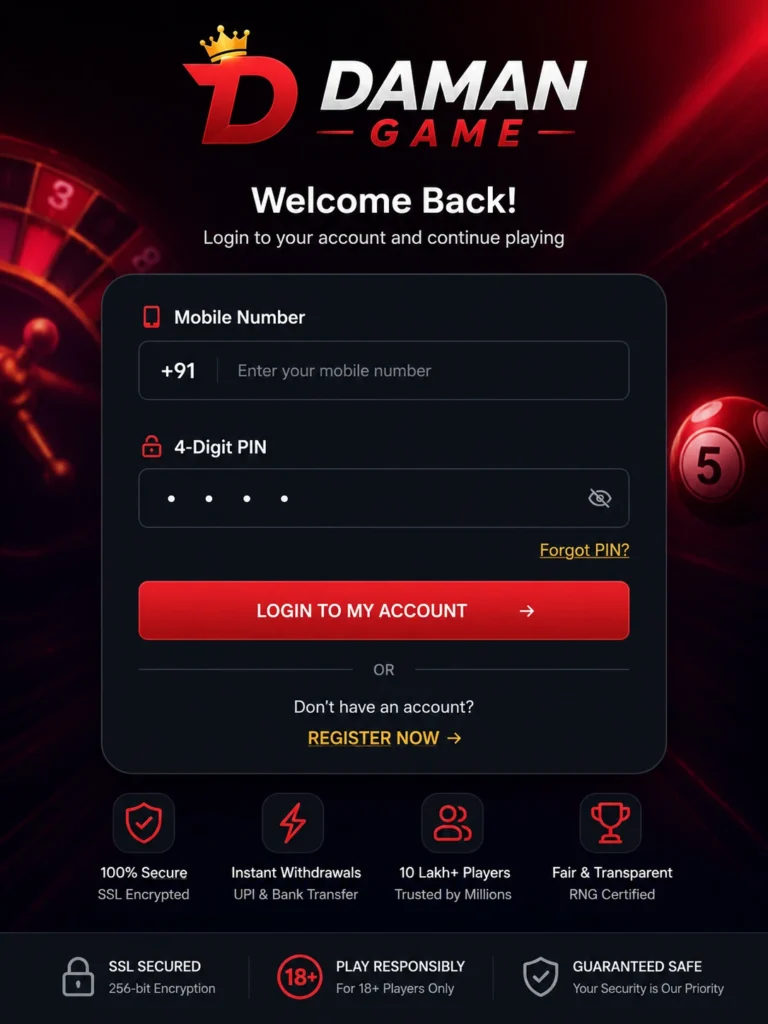
How to Log In to Daman Game — Step by Step
Logging in takes under 10 seconds once your account exists. Here is the exact process:
Step 1 — Open the Official Login Page Go to damangame5.com/login on your mobile browser or open the Daman Game app on your Android phone. Never use a third-party link or a forwarded URL to access your account — only the official site or the APK downloaded from damangame5.com/download.
Step 2 — Enter Your Registered Mobile Number Your login ID on this platform is your 10-digit Indian mobile number — the same number you used when registering. There is no separate username or email address required. Type it without spaces, dashes or the +91 prefix (the field handles the country code automatically).
Step 3 — Enter Your 4-Digit PIN Type the 4-digit security PIN you set when creating your account. The PIN field masks each digit as you type. If you have not logged in recently and cannot remember your PIN, use the Forgot PIN link rather than guessing — three consecutive wrong entries will temporarily lock your account.
Step 4 — Tap Login Tap the Login button. Authentication completes in under 3 seconds on any 2G, 3G, 4G, 5G or WiFi connection. You land directly on your player dashboard where your wallet balance, active games and referral stats are all visible.
What is Your Daman Game Login ID?
Your Daman Game login ID is your registered Indian mobile number. Nothing else. No username, no email address, no player ID number.
When you registered, you entered a 10-digit mobile number and verified it with an OTP. That number became your permanent account identifier. Combined with your self-chosen 4-digit PIN, these two credentials are everything needed to access your account from any device, browser or app.
Your login credentials are: → ID: Your registered +91 mobile number (10 digits) → Password/PIN: The 4-digit PIN you set at registration
If you ever need to update your linked mobile number — for example, if you lose access to the SIM — contact our support team on WhatsApp or Telegram with identity verification. Number changes require manual review as a security precaution.
Forgot Your PIN? — How to Reset It in 60 Seconds
A forgotten PIN does not mean a locked account permanently. Resetting takes about 60 seconds and requires only your registered mobile number and access to receive an SMS.
PIN Reset Steps:
Step 1 — Tap Forgot PIN On the login screen, tap the Forgot PIN link directly below the PIN entry field. This takes you to the account recovery screen.
Step 2 — Enter Your Mobile Number Enter the same 10-digit Indian mobile number you registered with. If you no longer have access to that SIM, skip to the Contact Support section below — this reset method will not work without the original number.
Step 3 — Verify via OTP A 6-digit OTP arrives via SMS within 30 seconds on a good signal. Enter it in the verification field. OTPs expire after 10 minutes — enter it promptly. If it does not arrive within 2 minutes, tap Resend OTP (available after 60 seconds).
Step 4 — Set a New PIN Choose a new 4-digit PIN. Use something memorable but not obvious — avoid 1234, 0000, your birth year or repeated digits. Confirm the PIN and tap Save.
Step 5 — Log In Immediately Your new PIN is active instantly. Return to the login screen and sign in with your mobile number and the new PIN.
What is preserved during a PIN reset: → Wallet balance — fully intact → Game history and bet records — fully intact → Referral earnings and commission — fully intact → Linked bank account or UPI ID — fully intact
A PIN reset only changes your access credential. No account data is affected.
Daman Game Login Not Working? — Fix Every Problem Here
Problem — OTP Not Arriving
This is the most common login issue, especially on slower networks.
Try in this order:
- Wait 90 seconds — SMS delivery can be delayed on congested networks
- Check if your phone has mobile signal, not just WiFi (Some carriers deliver OTPs via cellular even when on WiFi)
- Check your blocked messages folder
- Tap Resend OTP — the button becomes active after 60 seconds
- Switch from WiFi to mobile data or vice versa and request OTP again
- Restart your phone and request OTP once more
If OTP still does not arrive after 5 minutes across two attempts, your network may be temporarily blocking SMS from our gateway. Contact WhatsApp support at +91 9152987820 with your registered number. Our team can manually trigger OTP delivery.
Correct PIN Entered but Login Failing
If you are confident the PIN is correct but login keeps failing:
→ Check for accidental spaces typed before or after the digits → Try on a different browser (Chrome, Samsung Internet, Firefox) → Clear browser cookies and cache then try again → Check if Caps Lock or number lock is affecting input on tablet keyboards → Try logging in via the app instead of browser, or vice versa
If the error message says “Account temporarily locked” — this triggers automatically after 3 consecutive wrong PIN attempts. Wait 15 minutes. The lock clears automatically. Then use Forgot PIN to set a fresh one rather than guessing again.
Problem — Login Page Not Loading
If the login page itself is blank, slow or returning an error:
→ Try a different browser → Clear browser cache and stored data → Disable any VPN you are currently using and try again (Some VPN exit nodes are blocked by payment gateways) → Try accessing via the Daman Game app rather than browser → Check our official Telegram channel for any announced maintenance → If you are in a state where ISP-level blocking occurs, try enabling a VPN — domestic ISPs occasionally block prediction platform domains without notice
Problem — App Login Error or App Crashing on Login
If the app specifically is failing at login:
→ Check you have a stable internet connection → Force-close the app fully and reopen → Clear app cache: Settings → Apps → Daman Game → Storage → Clear Cache (This does not delete your account — only temporary files) → Check if you have the latest version: Compare your installed version with the current version listed at damangame5.com/download → Uninstall and reinstall the latest APK from damangame5.com/download (account data is server-side — reinstalling never affects your wallet or history)
Problem — Account Suspended Message at Login
Seeing a suspension notice means our automated security system flagged unusual activity on your account. Common triggers include:
→ Multiple login attempts from very different locations in a short time → Suspected use of automated scripts or bots → Duplicate account detection from the same device → Unusual bet pattern flagged for review
What to do: Email support@damangame5.com with your registered mobile number, a brief description of your recent activity, and if available, a screenshot of the suspension message. Our team reviews all suspension cases and genuine accounts are typically restored within 24 hours. Do not create a new account while your original is under review — this will make the situation significantly harder to resolve.
Problem — Logged Out Automatically
Sessions on the browser version expire after a period of inactivity as a security measure. This is intentional and protects your wallet if you leave the browser open on a shared device.
The app version maintains a longer session but also logs out after extended inactivity. Simply log in again — your data and balance are always server-side and unaffected by logout.
Is the Daman Game Login Secure?
Yes. The login page and entire platform operate under SSL 256-bit encryption — the same standard used by Indian banks and payment apps.
What this means for you: → Every character you type in the login form is encrypted before it leaves your device — no one can intercept your credentials in transit, even on public WiFi → Your PIN is never stored in plain text on our servers — it is hashed using a one-way cryptographic function before storage → Login sessions are tokenised — your actual credentials are not transmitted after initial authentication → Sessions expire automatically after inactivity → Withdrawals are only processed to your Aadhaar and PAN-verified bank account or UPI ID — even if someone accessed your account, they cannot redirect your money to themselves
How to keep your account safe: → Never share your PIN with anyone — our support team will never ask for your PIN → Do not use the same PIN you use for UPI or banking apps → Log out after using the platform on a shared device → Download the app only from damangame5.com/download — third-party APK sources may contain modified files
Logging In from the App vs Browser — What Is Different?
Both methods give you full access to your account. The differences are practical, not functional:
| Feature | Browser Login | App Login |
|---|---|---|
| Session persistence | Shorter — expires after inactivity | Longer — stays logged in between sessions |
| Login speed | Requires credentials each time after expiry | One-tap after first login |
| Push notifications | Not available | Available for game results and wallet updates |
| Performance on slow data | Slightly heavier | Optimised for low bandwidth |
| iOS support | Full access via Safari or Chrome | Android only |
| Update required | Always uses latest version automatically | Manual APK update needed occasionally |
Recommendation : If you play regularly, install the app for a faster experience. If you play occasionally or use an iPhone, the browser version at damangame5.com/login is fully functional with no missing features.
Don't Have an Account Yet? Register Free
If you arrived on this page without a registered account, creating one takes under 2 minutes.
What you need: → An active Indian mobile number (+91) → 30 seconds to verify with OTP and set a PIN
What you receive immediately: → ₹500 welcome bonus credited to your wallet instantly → Access to all games — no waiting period → A unique referral link to start earning from Day 1 → Entry into the next weekly lucky draw automatically
No documents, no deposit, no ID proof at registration. Aadhaar and PAN verification is required only for your first withdrawal — a one-time, one-minute process.
Frequently Asked Questions — Daman Game Login
How do I log in to Daman Game?
Go to damangame5.com/login, enter your registered 10-digit
Indian mobile number and your 4-digit PIN, then tap Login.
Authentication completes in under 10 seconds.
You are taken directly to your player dashboard.
What is my Daman Game login ID?
Your login ID is your registered Indian mobile number — the
10-digit number you entered when creating your account.
There is no separate username or email address on this platform.
I forgot my Daman Game PIN — how do I reset it?
Tap Forgot PIN on the login screen, enter your registered mobile number and verify via OTP. Set a new 4-digit PIN. The reset takes 60 seconds and your wallet balance and history are fully preserved throughout.
Why is my Daman Game login not working?
The three most common causes are: an incorrect PIN (three wrong attempts locks the account temporarily for 15 minutes), an OTP not arriving (check mobile signal and tap Resend after 60 seconds), or the login page not loading (clear browser cache or try the app). If none of these resolve the issue, contact WhatsApp support with your registered number and a screenshot of the error.
Can I log in to Daman Game on two devices?
Only one active session is permitted at a time. Signing in on
a second device ends the session on the first. This is a
security feature to protect your wallet.
Is my Daman Game login safe?
Yes. The login page uses SSL 256-bit encryption. Your PIN is
stored as a cryptographic hash — never in plain text. Sessions
use tokens, not stored credentials. Withdrawals are verified
against your KYC-linked bank or UPI ID only, so no one else
can redirect your funds even with account access.
What should I do if my account is suspended at login?
Email support@damangame5.com with your registered mobile number and a brief description of recent activity. Genuine accounts are reviewed and restored within 24 hours. Do not create a new account while the suspension is being reviewed.
Daman Game login kaise kare? (How to log in — Hindi)
Daman Game mein login karne ke liye damangame5.com/login par
jaayein. Apna registered 10-digit mobile number daalen,
phir apna 4-digit PIN enter karein aur Login button dabaayen.
Agar PIN bhool gaye hain to login screen par “Forgot PIN”
option use karein — OTP se turant reset ho jaata hai.
Daman Game login nahi ho raha — kya karein?
Agar login nahi ho raha hai to pehle check karein ki PIN sahi
hai ya nahi. Teen galat attempts ke baad account 15 minute ke liye automatically lock ho jaata hai. OTP nahi aa raha to mobile data check karein aur 60 seconds baad Resend dabaayen. App cache clear karein ya latest APK damangame5.com/download se reinstall karein. Phir bhi problem ho to WhatsApp support +91 9152987820 par screenshot bhejein.
Official Login Page — Security Notice
This is the only official Daman Game login page. Access your account only through:
→ Browser: damangame5.com/login → App: APK downloaded from damangame5.com/download
Protect yourself from fake sites: → Always check the URL — it must be damangame5.com → Look for the HTTPS padlock in your browser address bar → Never click login links received via SMS from unknown numbers → Never log in through links shared in unofficial WhatsApp groups → Our support team will never send you a login link — we only ask you to visit the official site directly
We will never ask for: → Your 4-digit PIN (in any channel — WhatsApp, Telegram or email) → Your OTP (support agents do not need it) → Your bank account password or UPI PIN
If you receive a message claiming to be from Daman Game and asking for any of the above, it is a phishing attempt. Report it to support@damangame5.com immediately.